
We understand that your preferences may change, and you might decide not to continue using Cahoot. To respect your choice, we have made it easy for you to delete your profile anytime.
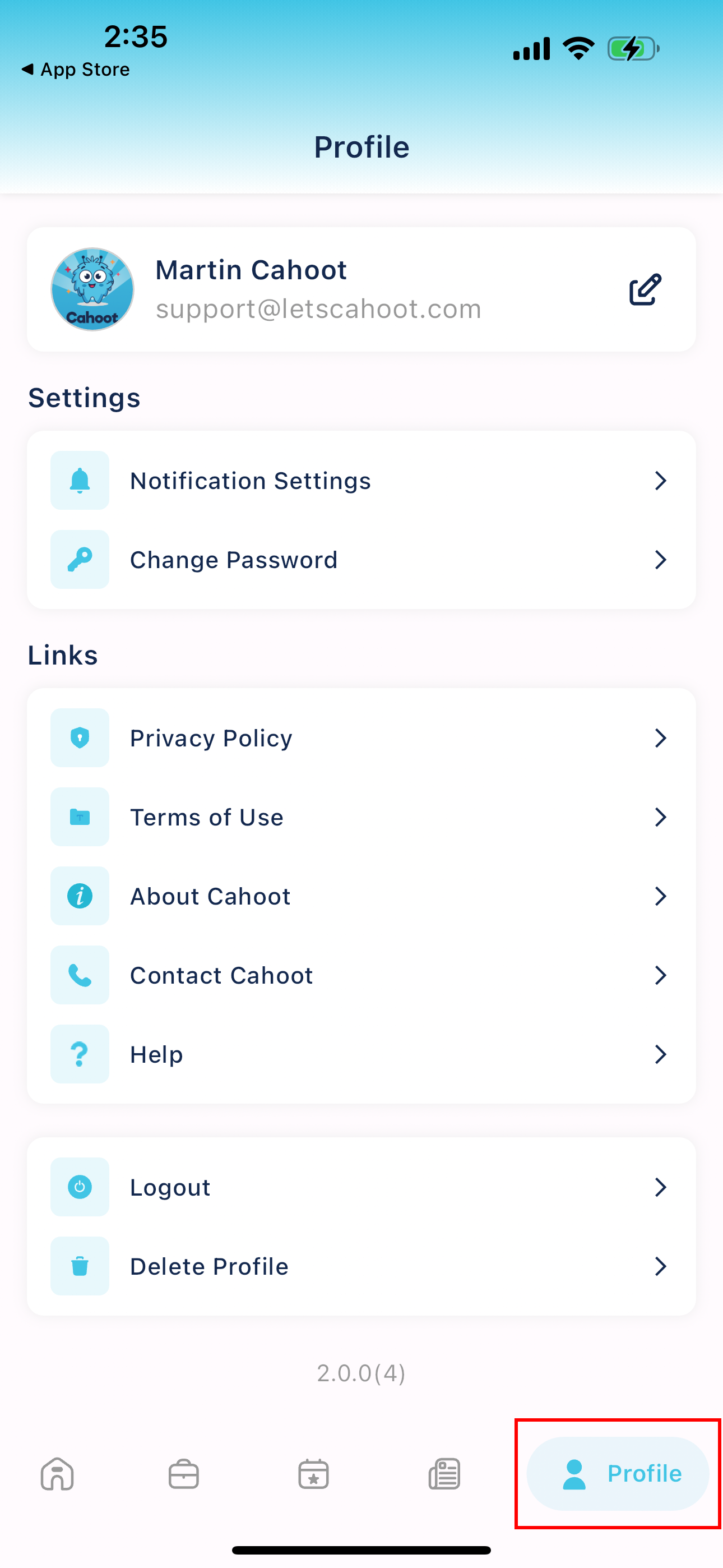
To delete your account, navigate to your profile by clicking on the bottom right icon.
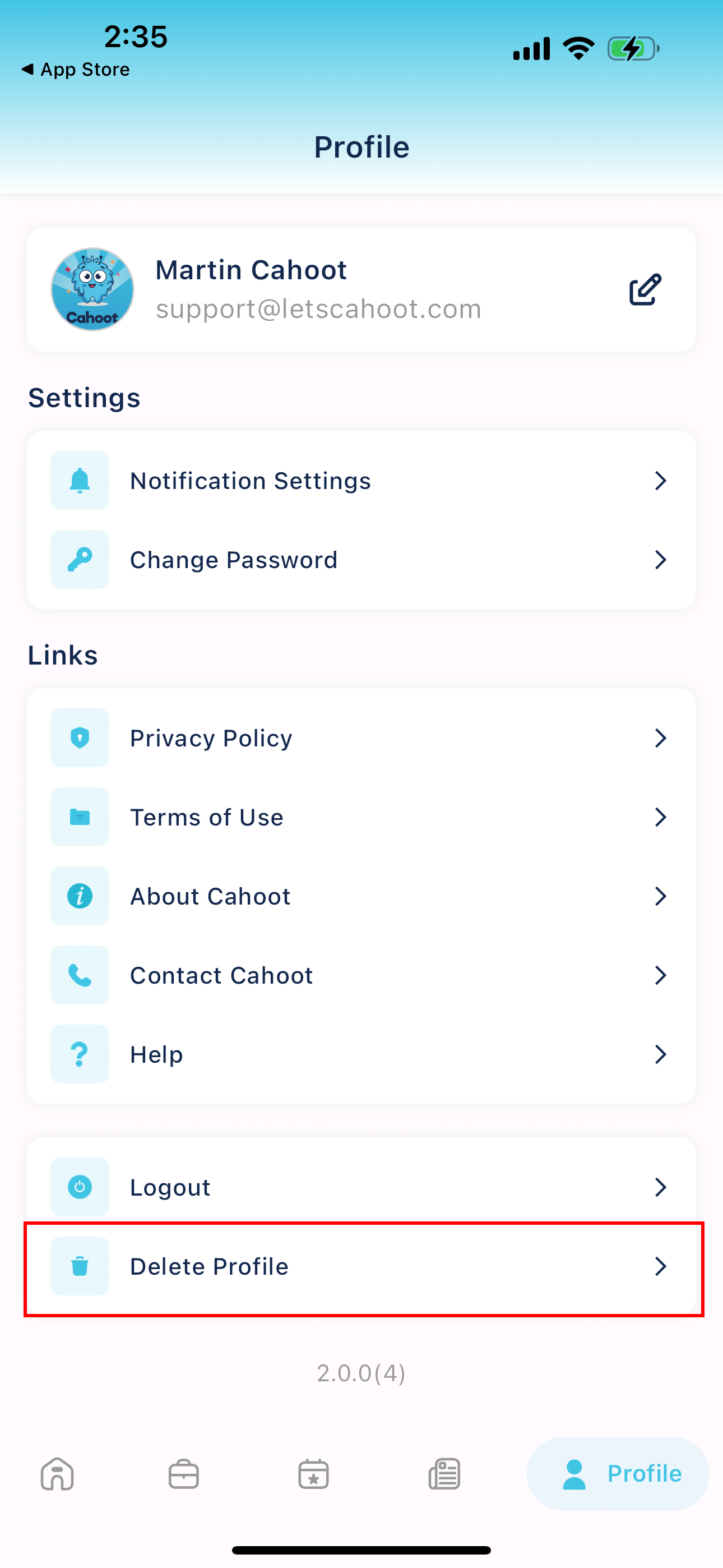
Next, press the button labeled "Delete Profile."
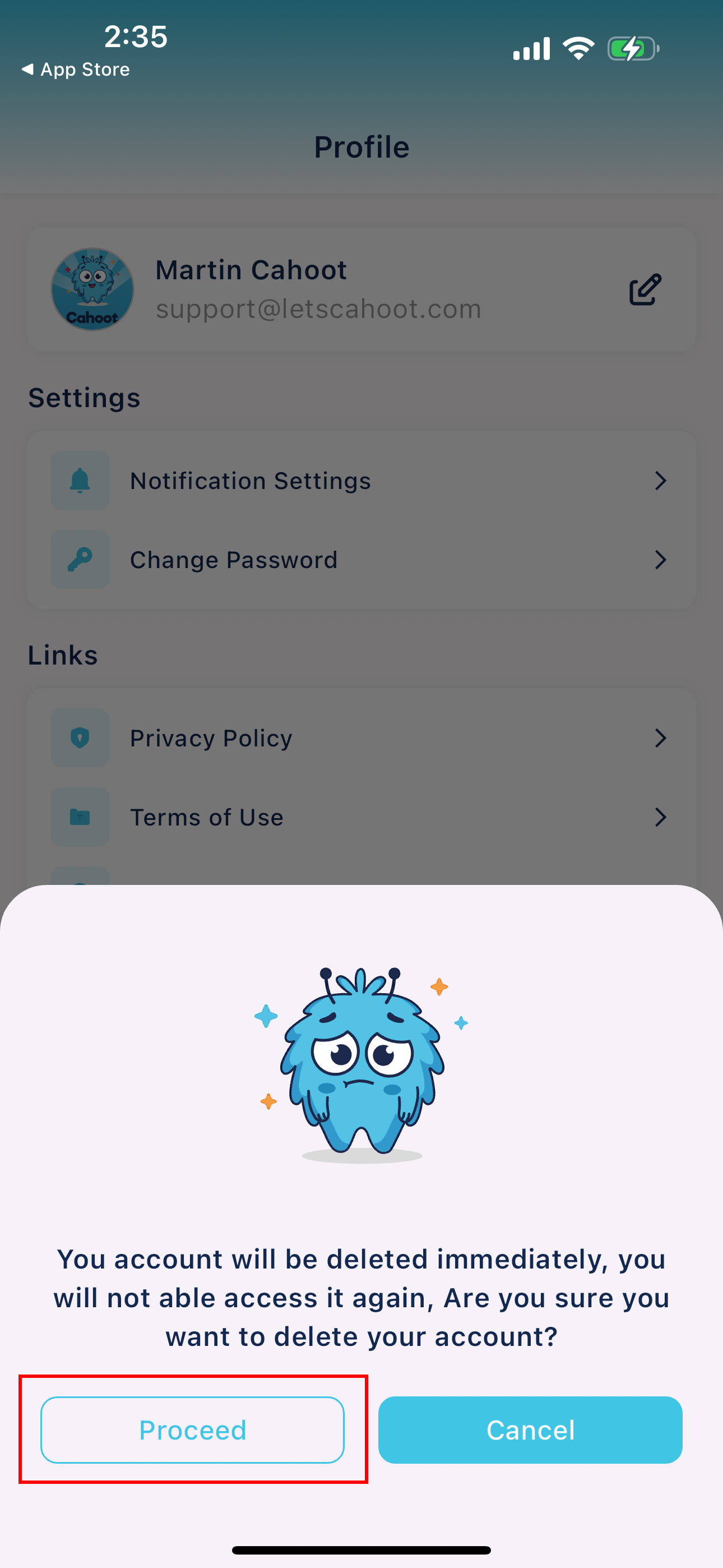
A confirmation box will appear, asking you to confirm that you want your account removed. Press "Proceed" to delete your account.
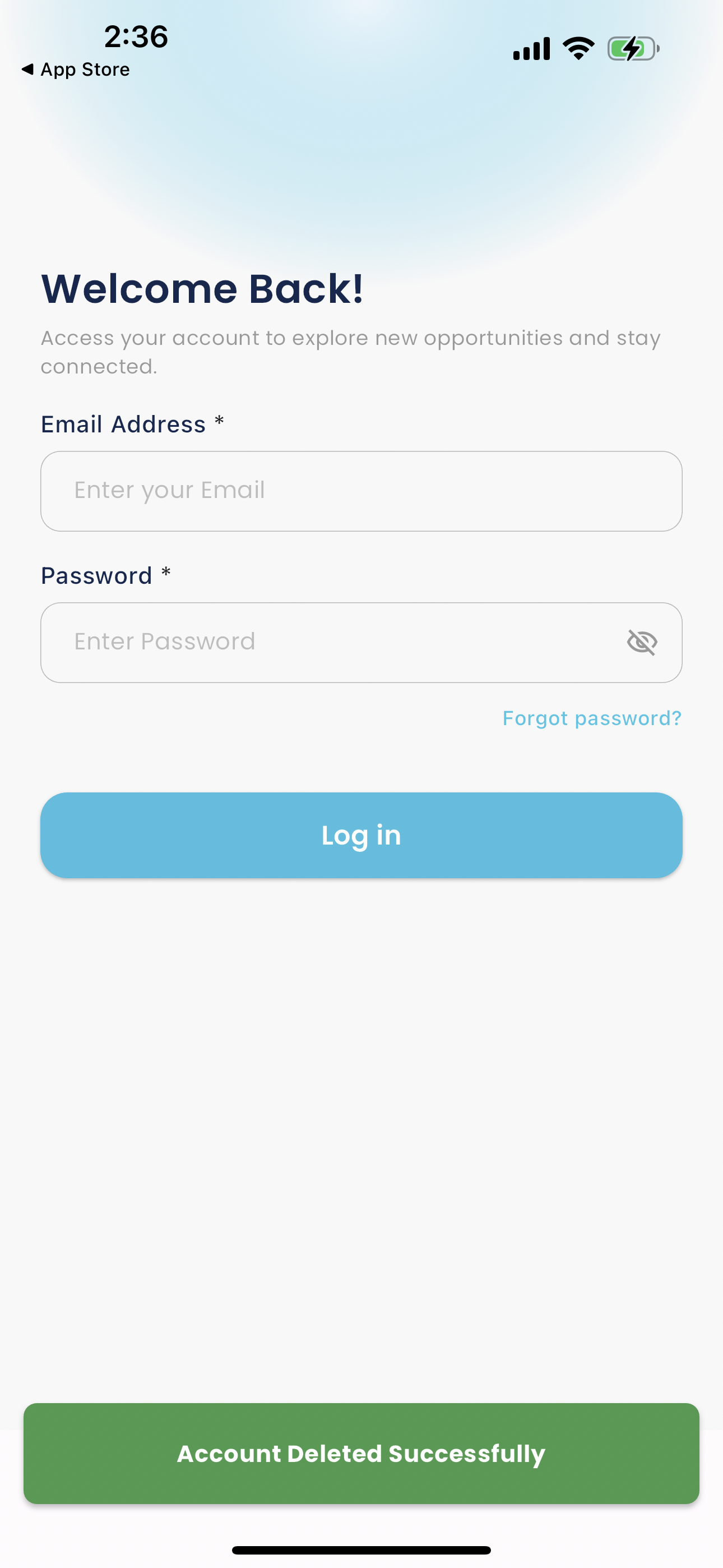
Once complete, you will be logged out and receive a visual confirmation that the account has been removed.